

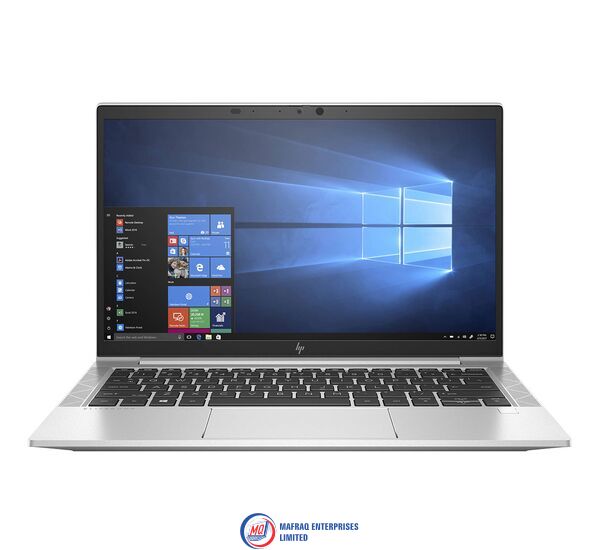
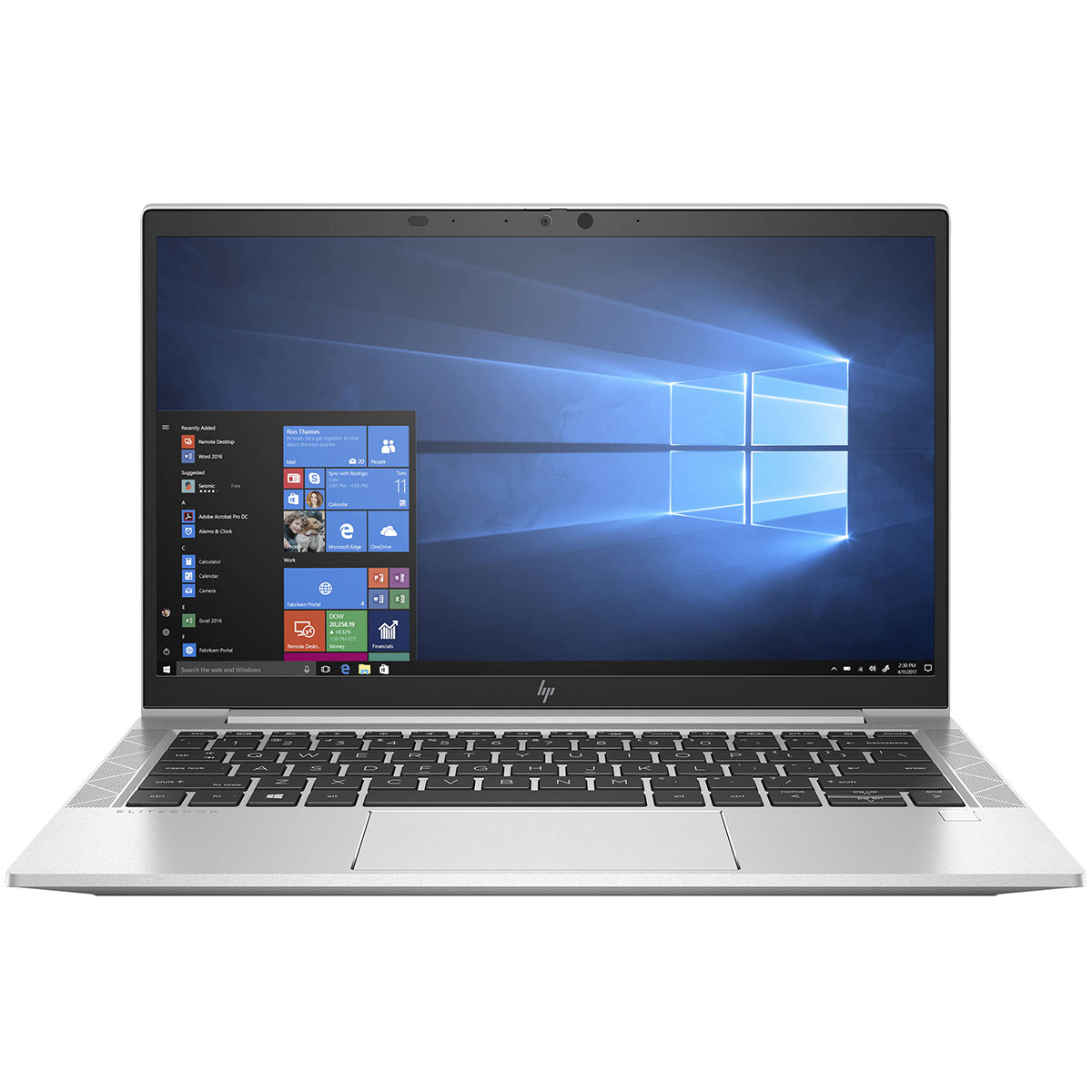


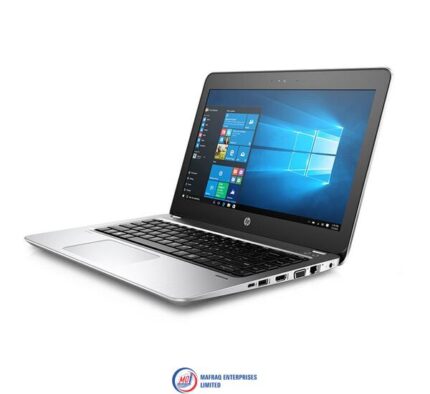
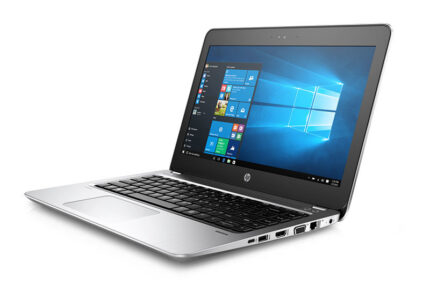
HP EliteBook 830 G7 Core i7-10th Gen 16GB 256SSD 13.3″ HD Display
Original price was: KSh66,150.00.KSh63,000.00Current price is: KSh63,000.00.
HP EliteBook 830 G7 Core i7-10th Gen 16GB 256SSD 13.3″ HD Display
Specifications
-
Memory: 16GB DDR4-2666 MHz RAM
-
Storage: 256GB SSD
-
Optical drive: None
-
Graphics Processor: Integrated, Intel® Premium UHD Graphics
-
Processor: Intel® Core™ i7-10510U (1.8 GHz base frequency, up to 4.9 GHz with Intel® Turbo Boost Technology, 8 MB L3 cache, 4 cores)
-
Processor Family: 10th Generation Intel® Core™ i7 processor
-
Display: 13.3 Inches (33.782cm) diagonal FHD, IPS, anti-glare, WLED-backlit, eDP, 250 nits, 45% NTSC (1920 x 1080)
About this Item
A collaborative approach to work requires a powerful, secure, and durable laptop that keeps users connected and productive in any setting. Meet the demands of your multitask, multi-place workday with the beautifully designed HP EliteBook 830 G7.
Features
Designed for comfort
Easy to carry from meeting to meeting, the ultrathin and light 13.3-inch diagonal HP EliteBook 830 G7 boasts an 85-percent screen-to-body ratio. It also includes a new keyboard and clickpad that are quiet and comfortable to work on.
Work with peace of mind
Security features from HP work together to create an always-on, alwaysacting, resilient defense. From the BIOS to the browser, above and below the OS, these constantly evolving solutions help protect your PC from threats.
Pursue success
Optional 4G LTE wireless , long battery life, and up to an optional 10th Gen six-core Intel® Core™ vPro® processor means your laptop will be ready to help you do your best work.
Technical Specifications
Memory: 32GB DDR4-2666 MHz RAM (1 x 8 GB) | 64 GB
Storage: 256GB SSD
Optical drive: None
Graphics Processor: Integrated, Intel® Premium UHD Graphics
Processor: Intel® Core™ i7-10510U (1.8 GHz base frequency, up to 4.9 GHz with Intel® Turbo Boost Technology, 8 MB L3 cache, 4 cores)
Processor Family: 10th Generation Intel® Core™ i7 processor
Display: 13.3 Inches (33.782cm) diagonal FHD, IPS, anti-glare, WLED-backlit, eDP, 250 nits, 45% NTSC (1920 x 1080)
Audio features: Bang & Olufsen, dual stereo speakers, 3 multi array microphone
Integrated Webcam: 720p HD camera; IR Camera (select models)
Keyboard: HP Premium Keyboard – spill resistant, optional backlit keyboard with drain and DuraKeys
Pointing Device: Clickpad with multi-touch gesture support; Precision Touchpad with multi-touch gesture support Ambient light sensor; Hall sensor
Ports: 2x USB 3.1 Type-C® with Thunderbolt™ support | 2x USB 3.1 Gen 1 (1 charging) | 1x headphone/microphone combo | 1x HDMI 1.4 | 1x AC power (HDMI cable sold separately.)
Optional Ports: 1x Smartcard reader (optional) | 1x SIM card slot (optional)
Battery type: 3-cell Lithium Ion (Li-Ion) | Battery Capacity: 53 Wh
AC Adapter: HP Smart 65 W External AC power adapter
Wireless: Intel® AX201 Wi-Fi 6 (2×2) and Bluetooth® 5 Combo, non-vPro™
Wired Protocol: HP Module with NXP NFC Controller NPC300 I2C NCI (select models)
Fingerprint reader: Fingerprint sensor (select models)
Security management: Absolute persistence module | HP DriveLock and Automatic DriveLock | HP Secure Erase | Power-on authentication | TPM 2.0 embedded security chip shipped with Windows 10 (Common Criteria EAL4+ Certified) | HP Sure Click | HP BIOSphere Gen5 | HP Sure Sense; BIOS Update via Network | Master Boot Record Security | Support for chassis padlocks and cable lock devices | HP Client Security Manager Gen6 | HP Sure Start Gen6 | HP Sure Run Gen3 | HP Sure Recover Gen3
Management features: HP Driver Packs | HP System Software Manager (SSM) | HP BIOS Config Utility (BCU) | HP Client Catalog | Ivanti Management Suite | HP Manageability Integration Kit Gen4
Ecolabels: ENERGY STAR® certified; EPEAT® registered where applicable
Environmental specifications: Low halogen; TCO 8.0 Certified
Product Type: HP EliteBook 830 G7 Notebook PC
Colour: Silver
Dimensions (W x D x H): 30.78 cm x 20.46 cm x 1.79 cm
Weight: 1.23 kg (2.71 lbs)


Related products


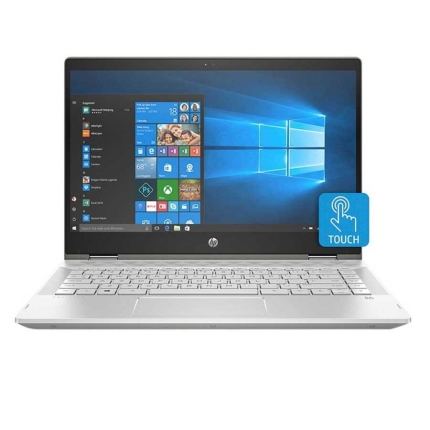
Hp pavilion x360 laptop – 14” inch screen high defination (hd) – 1.6ghz Processor – intel core i5 – 8gb ram – 1tb hard disk
Hp pavilion x360 laptop, 14'' inch screen high defination (hd), 1.6ghz Processor, intel core i5, 8gb ram, 1tb hard disk
Processor
Intel Core i5-8250U ( 1.6 GHz)
14'' inches1920 x 1080 pixels (QHD) FHD IPS WLED-backlit multi touch Touchscreen
Storage
1TB hard disk
System Memory
8GB DDR4 2133MHz SDRAM
Audio
Dual stereo speakers with Bang & Olufsen
Inputs & Controls
Touchpad with multi-touch supportBacklit keyboard
Input/Output Ports
2 x USB 3.01 x USB 2.01 x HDMI output1 x audio-in / audio-out combo
Slots
Card reader
Connectivity
Dual-band 802.11a/b/g/n/ac WiFiBluetooth
Camera
HD webcam with two microphones
Power
3-cell battery Battery Life
Keyboard and Touchpad
Typing on the Pavilion x360's keyboard is immenselysatisfying. The keys aren't snappy, but they feel smooth and require a decentamount of force and travel before they hit the bottom.
I sped through 74 words per minute on the 10FastFingers.comtyping test, which is faster than my current 70-wpm average. The keys traveledat 1.4 millimeters, which is on the cusp of our preferred 1.5 to 2.0 mm range,and they required a solid 70 grams of force to actuate.
Typing on the Pavilion x360's keyboard is immenselysatisfying.
The Pavilion x360's touchscreen panel was responsive as Idrew a crude painting of a sunset (a.k.a. five blue lines on top, five greenlines on the bottom, and an orange circle at the center - perfection).
The 4.3 x 2.1-inch touchpad has a semi-matte texture that'snot as comfortable as the ones installed on the EliteBook line, but it worksfine. The pad has Windows Precision drivers, so it handled Windows 10 gestures,such as three-finger tabbing and two-finger scrolling, nicely.
Audio
The Pavilion x360's top-firing Bang & Olufsen speakersare surprisingly great. While the speakers could have been slightly louder,they were able to carry Missio's "I See You" throughout a smalloffice. The opening vocals, combined with the keyboard notes, roped me into themoment. And when the drum beats dropped, I could feel the weight of the bass.
The audio benefits from the Bang & Olufsen audio app,which includes presets for Music, Movie and Voice. Within those settings aredials for bass, treble and dialog clarity, as well as a full equalizer.
Performance
Armed with an Intel Core i5-8265U processor and 8GB of RAM,the Pavilion x360 juggled 30 Google Chrome tabs and four 1080p YouTube videossimultaneously without a sweat.
The Pavilion x360 transcoded a 4K video to 1080p in 21minutes and 59 seconds on our HandBrake benchmark, which may seem long, butit's a lot quicker than the category average (31:19).
Graphics
Packed with an Intel UHD 620 GPU, the Pavilion x360 scored71,938 on the 3DMark Ice Storm Unlimited graphics benchmark, which surpassedthe mainstream laptop average (61,258) as well as the performance from the Spin3's Intel UHD 620 (61,440) and the MateBook D's Radeon Vega 8 (63,302).
Webcam
While the Pavilion x360's 720p shooter isn't as grainy asmost webcams, it still struggled to reveal the detail in my hair and beard. Thecamera caught the red, white and blue in my shirt, but not the pink, green oryellow. Not to mention that it succumbed to the flair of the ceiling lights, sohalf of the ceiling was washed out.
Heat
The Pavilion x360 performed well under pressure. After itstreamed a 15-minute, 1080p video, the hottest underside got was 91 degreesFahrenheit, which is well within our 95-degree comfort zone. The center of thekeyboard and touchpad came in at 85 and 80 degrees, respectively.
Software and Warranty
There are several HP-branded utilities in the Pavilion x360,including HP JumpStart (a tutorial for Windows 10), HP Support Assistant(updates HP device drivers), HP Smart (tracks printing status), and HP PC HardwareDiagnostics (provides system information and tests). There's also HP CoolSense,which can automatically adjust performance and fan settings to offset heat.
There's also a ton of Windows 10 bloatware, including CandyCrush Saga, Gardenscapes and Asphalt Street Storm Racing.
Bottom Line
The HP Pavilion x360 is a solid mainstream laptop in that itoffers commendable performance, a satisfying keyboard, and some bangin'speakers.




Reviews
There are no reviews yet.