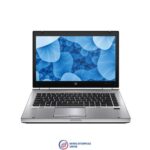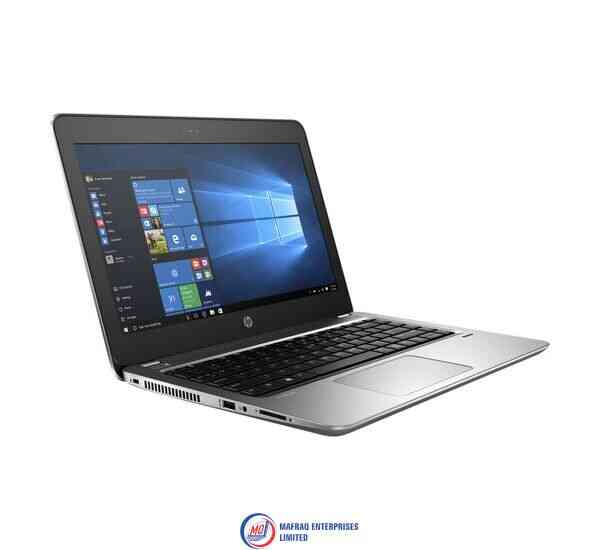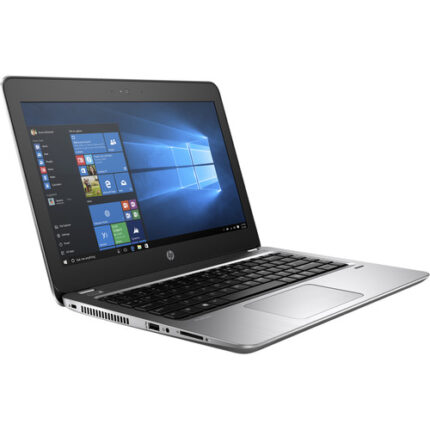
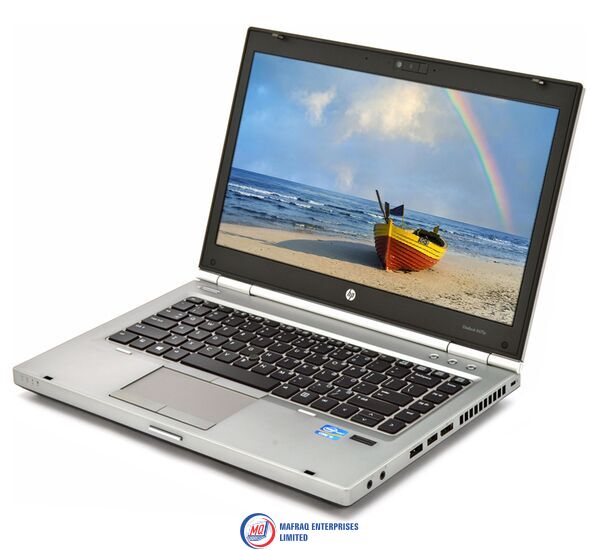
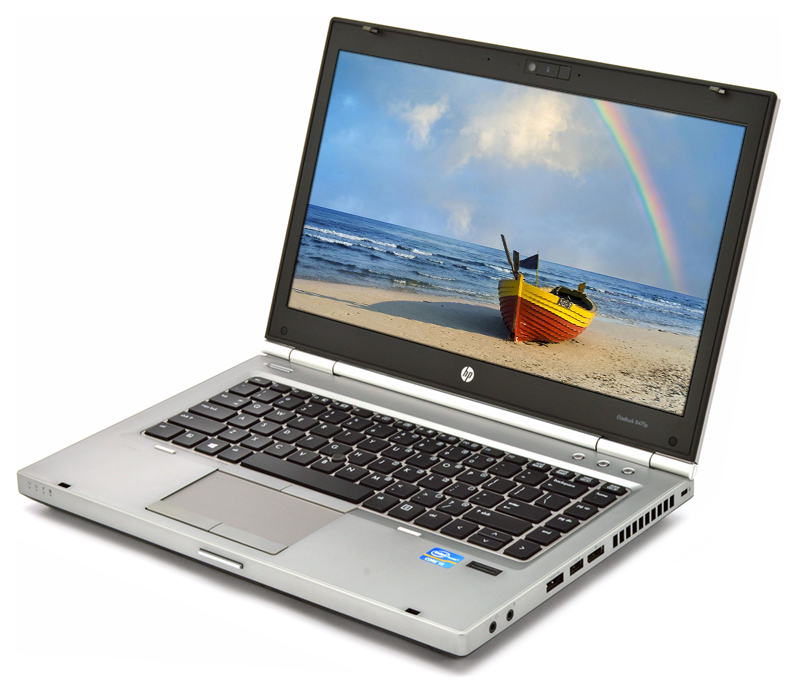
hp 8460p notebook laptop – 2.6ghz processor – intel core i5 – 4gb ram – 500gb hard disk
KSh20,473.95 Original price was: KSh20,473.95.KSh19,499.00Current price is: KSh19,499.00.
hp 8460p notebook laptop – 2.6ghz processor – intel core i5 – 4gb ram – 500GB hard disk
Product Features
Chipset:
Mobile Intel QM67 Express Chipset
Processors
2nd Generation Intel Core i5 Processors:
Intel Core i5-2410M Processor (2.30 GHz, 3MB L3 cache, 2cores/4 threads, 35 W) Up to 2.90 GHz with Intel Turbo Boost Technology
Display
Internal:
14.0-inch diagonal LED-backlit HD anti-glare (1366 x 768resolution)
14.0-inch diagonal LED-backlit HD+ anti-glare (1600 x 900resolution)
External:
Up to 32-bit per pixel color depth
DisplayPort supports resolutions up to 2560 x 1600, 30-bitcolor depth at 60 Hz, and full HD (1920 x 1080) monitors, 24-bit color depth at120 Hz
VGA port supports resolutions up to 2048 x 1536 at 75 Hz, andlower resolutions at up to 100 Hz
DVI-D (single link) video signal available through DVI port in optional HP Docking Station (sold separately) supports resolutions up to1600 x 1200 at both full and reduced blanking, and 1920 x 1200 at reduced blanking
Memory
Standard:
DDR3 PC3-10600 SDRAM (1333 MHz)
Two SODIMM slots supporting dual-channel memory
4GB SODIMMs
Maximum:
Upgradable to 16GB with 8GB SODIMMs in slots 1 and 2
Dual-channel:
Maximized dual-channel performance requires SODIMMs of the same size and speed in both memory slots.
Communications
· Integrated Intel 82579LM Gigabit Network Connection(vPro configurations)
· 56K V.92 modem
Pointing device
· Touchpad with On/Off button, two-way scroll, gestures,two pick buttons
· Point stick with two additional point stick buttons
Keyboard
The HPspill-resistant keyboard is designed using a thin layer of Mylar film under the keyboard and a drain system that funnels fluid through a hole in the bottom of the notebook. This minimizes the risk of damage to sensitive components underneath. The 101/102-key compatible keyboard features a full-pitch key layout with desktop keyboard features, such as editing keys, both left and right control and alt keys, function keys, and 19.05 x 19.05 mm key pitch(center-to-center spacing). U.S. and International key layouts are available. Other features include hot keys for instant access to power conservation and brightness.
Launch Buttons and function keys
Separate launch buttons provide easy access to the following features:
· Wireless On/Off
· HP Quick Web
· Volume mute
Function keys provide control of the following features:
· Standby mode
· External display
· Volume down
· Volume up
· HP Power Assistant
· Display brightness
Expansion card slots
ExpressCard/54 slot:
Supports ExpressCard/54
Integrated Smart CardReader:
Compatible with ISO 7816-compliant Smart Cards
PC/SC interface support
Secure Digital/MMC slot:
Supports SD (Secure Digital), MMC (MultiMedia Card)
Internalstorage
Hard drives:
250/320/500/750GB 7200 rpm SMART SATA II
HP 3D Drive Guard (Windows only):
The hard drive is mounted directly to the notebook frame, reducing the transmission of shock to the hard drive. Uses three-axis digital motion detection with intelligent sensitivity to help protect the hard drive during normal use from shock and vibration. The digital accelerometer temporarily halts all data transfer and parks the hard drive when abrupt motion is detected.
Battery life
3-cell (31 WHr)
System standby time
Up to 1 week
MAECENAS IACULIS
Vestibulum curae torquent diam diam commodo parturient penatibus nunc dui adipiscing convallis bulum parturient suspendisse parturient a.Parturient in parturient scelerisque nibh lectus quam a natoque adipiscing a vestibulum hendrerit et pharetra fames nunc natoque dui.
ADIPISCING CONVALLIS BULUM
- Vestibulum penatibus nunc dui adipiscing convallis bulum parturient suspendisse.
- Abitur parturient praesent lectus quam a natoque adipiscing a vestibulum hendre.
- Diam parturient dictumst parturient scelerisque nibh lectus.
Scelerisque adipiscing bibendum sem vestibulum et in a a a purus lectus faucibus lobortis tincidunt purus lectus nisl class eros.Condimentum a et ullamcorper dictumst mus et tristique elementum nam inceptos hac parturient scelerisque vestibulum amet elit ut volutpat.
Related products
Fujitsu LifeBook A553/h Celeron 4GB 320HDD 15.6″
Hp 14 pavilion – laptop – 8th generation – intel core i5 – 14” inch screen – 1.8ghz processor – 2gb graphics – 4gb ram – 1tb hard disk
HP EliteBook Folio 1040 G3 Core i5-6th Gen 8GB 256SSD 14″ Display
Hp notebook 15 laptop – intel celeron n3060 – 1.6ghz processor – 14″ inch screen – 4gb ram – 500gb hdd
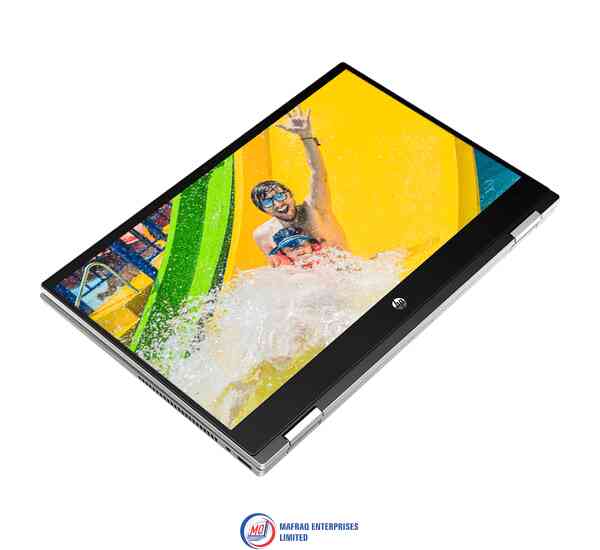
Hp pavilion x360 laptop – 14” inch screen high defination (hd) – 1.6ghz Processor – intel core i5 – 8gb ram – 1tb hard disk
Hp pavilion x360 laptop, 14'' inch screen high defination (hd), 1.6ghz Processor, intel core i5, 8gb ram, 1tb hard disk
Processor
Intel Core i5-8250U ( 1.6 GHz)
14'' inches1920 x 1080 pixels (QHD) FHD IPS WLED-backlit multi touch Touchscreen
Storage
1TB hard disk
System Memory
8GB DDR4 2133MHz SDRAM
Audio
Dual stereo speakers with Bang & Olufsen
Inputs & Controls
Touchpad with multi-touch supportBacklit keyboard
Input/Output Ports
2 x USB 3.01 x USB 2.01 x HDMI output1 x audio-in / audio-out combo
Slots
Card reader
Connectivity
Dual-band 802.11a/b/g/n/ac WiFiBluetooth
Camera
HD webcam with two microphones
Power
3-cell battery Battery Life
Keyboard and Touchpad
Typing on the Pavilion x360's keyboard is immenselysatisfying. The keys aren't snappy, but they feel smooth and require a decentamount of force and travel before they hit the bottom.
I sped through 74 words per minute on the 10FastFingers.comtyping test, which is faster than my current 70-wpm average. The keys traveledat 1.4 millimeters, which is on the cusp of our preferred 1.5 to 2.0 mm range,and they required a solid 70 grams of force to actuate.
Typing on the Pavilion x360's keyboard is immenselysatisfying.
The Pavilion x360's touchscreen panel was responsive as Idrew a crude painting of a sunset (a.k.a. five blue lines on top, five greenlines on the bottom, and an orange circle at the center - perfection).
The 4.3 x 2.1-inch touchpad has a semi-matte texture that'snot as comfortable as the ones installed on the EliteBook line, but it worksfine. The pad has Windows Precision drivers, so it handled Windows 10 gestures,such as three-finger tabbing and two-finger scrolling, nicely.
Audio
The Pavilion x360's top-firing Bang & Olufsen speakersare surprisingly great. While the speakers could have been slightly louder,they were able to carry Missio's "I See You" throughout a smalloffice. The opening vocals, combined with the keyboard notes, roped me into themoment. And when the drum beats dropped, I could feel the weight of the bass.
The audio benefits from the Bang & Olufsen audio app,which includes presets for Music, Movie and Voice. Within those settings aredials for bass, treble and dialog clarity, as well as a full equalizer.
Performance
Armed with an Intel Core i5-8265U processor and 8GB of RAM,the Pavilion x360 juggled 30 Google Chrome tabs and four 1080p YouTube videossimultaneously without a sweat.
The Pavilion x360 transcoded a 4K video to 1080p in 21minutes and 59 seconds on our HandBrake benchmark, which may seem long, butit's a lot quicker than the category average (31:19).
Graphics
Packed with an Intel UHD 620 GPU, the Pavilion x360 scored71,938 on the 3DMark Ice Storm Unlimited graphics benchmark, which surpassedthe mainstream laptop average (61,258) as well as the performance from the Spin3's Intel UHD 620 (61,440) and the MateBook D's Radeon Vega 8 (63,302).
Webcam
While the Pavilion x360's 720p shooter isn't as grainy asmost webcams, it still struggled to reveal the detail in my hair and beard. Thecamera caught the red, white and blue in my shirt, but not the pink, green oryellow. Not to mention that it succumbed to the flair of the ceiling lights, sohalf of the ceiling was washed out.
Heat
The Pavilion x360 performed well under pressure. After itstreamed a 15-minute, 1080p video, the hottest underside got was 91 degreesFahrenheit, which is well within our 95-degree comfort zone. The center of thekeyboard and touchpad came in at 85 and 80 degrees, respectively.
Software and Warranty
There are several HP-branded utilities in the Pavilion x360,including HP JumpStart (a tutorial for Windows 10), HP Support Assistant(updates HP device drivers), HP Smart (tracks printing status), and HP PC HardwareDiagnostics (provides system information and tests). There's also HP CoolSense,which can automatically adjust performance and fan settings to offset heat.
There's also a ton of Windows 10 bloatware, including CandyCrush Saga, Gardenscapes and Asphalt Street Storm Racing.
Bottom Line
The HP Pavilion x360 is a solid mainstream laptop in that itoffers commendable performance, a satisfying keyboard, and some bangin'speakers.

Reviews
There are no reviews yet.